
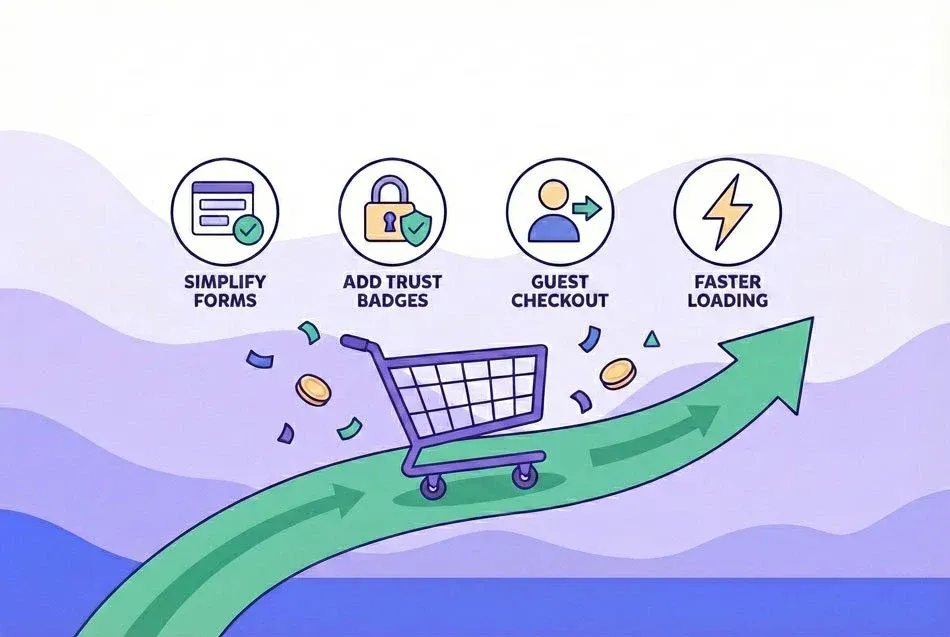
Simplify the Checkout Process
Every additional step or field in checkout creates an opportunity for abandonment. Complexity is the enemy of completion.
Reduce checkout steps:
Minimize the number of pages or screens required to complete purchase. Multi-step checkouts (contact → shipping → payment → review) create 5-10 percentage points more abandonment than single-page checkouts for most product categories. Each transition point is a decision point where customers can leave.
Implement single-page checkout where feasible. Display all required information on one scrolling page with logical visual grouping: customer info at top, shipping in middle, payment at bottom. This eliminates page load delays and provides clear progress visibility.
Combine related information requests. Billing and shipping address can share one form section with a checkbox for "same as shipping." Contact info and account creation can merge into one step. Every consolidation reduces friction.
Auto-fill for returning customers:
Pre-populate all saved information for logged-in customers. Returning customers should only need to confirm their details and complete payment - not re-enter everything. This reduces checkout time by 80% and completion rates often exceed 90%.
Use browser auto-fill and payment request APIs to enable one-click completion. Chrome's payment request API, Apple Pay, and Google Pay leverage stored information for instant checkout, even for first-time customers on your site.
Implement smart address validation and auto-complete. As users type addresses, suggest completions from postal databases. This speeds entry and reduces shipping errors that could cause post-purchase problems.
Offer Guest Checkout
Forcing account creation before purchase is one of the most damaging checkout practices, typically reducing CCR by 20-30 percentage points.
Why guest checkout matters:
Account creation adds 3-5 form fields (username, password, confirm password) and creates psychological barrier. Customers in buying mode want to complete purchase, not commit to a relationship with your brand. Account creation shifts focus from transaction to relationship decision-making.
Many customers specifically resist account creation due to privacy concerns, password fatigue, or expectation they're one-time buyers. Forcing the issue loses immediate sales and creates negative brand associations that prevent future purchases.
First-purchase customers haven't yet experienced your value. After a successful transaction and positive product experience, many voluntarily create accounts for convenience. Requiring it before they've experienced value puts the cart before the horse.
How to implement guest checkout effectively:
Make guest checkout the prominent option, not a hidden alternative. Primary call-to-action should be "Continue as Guest" with secondary option to "Log In" for returning customers. Defaulting to account creation makes guest checkout feel like a workaround.
Collect minimal information for guest checkout: email, shipping address, payment details only. Save upsells, newsletter signups, and account creation offers for post-purchase when customer satisfaction is high.
After successful guest checkout, offer optional account creation with the appeal of "save your info for faster future checkout." Post-purchase conversion to accounts runs 30-40% versus 5-10% for pre-purchase forced creation.
Optimize for Mobile Devices
Mobile checkout completion rates lag desktop by 10-20 percentage points primarily due to friction, not intent differences. Mobile-specific optimization is critical.
Responsive design fundamentals:
Ensure checkout displays properly on all screen sizes with readable text (minimum 16px font) and properly sized touch targets (minimum 44×44px buttons). Customers shouldn't need to zoom or struggle to tap buttons.
Use single-column layouts on mobile. Side-by-side forms that work on desktop become cramped and error-prone on mobile. Stack everything vertically with generous spacing.
Minimize typing requirements through smart input types (tel, email, number) that trigger appropriate keyboards, and use native mobile elements like date pickers and dropdowns instead of text entry where possible.
Streamlined mobile payment:
Integrate mobile wallets prominently. Apple Pay and Google Pay enable one-tap checkout using stored payment information, often improving mobile CCR by 15-25 percentage points. Make these options primary choices, not buried alternatives.
Optimize credit card entry for mobile. Use card scanning where supported, format card numbers automatically with proper spacing, auto-advance between fields, and ensure CVV/expiry fields are easily tappable.
Reduce form fields to absolute minimum on mobile. Combine first/last name into single field, use address auto-complete aggressively, and save optional fields for post-purchase profile creation.
Mobile-specific UX considerations:
Implement progress indicators so users understand how many steps remain. Mobile users get impatient when they can't see the end.
Use sticky "Continue" or "Place Order" buttons visible without scrolling. Mobile users shouldn't need to scroll to find the next action.
Minimize external links during checkout. Every link risks losing the customer to distraction. Open necessary links (terms, privacy policy) in modal overlays, not new tabs.
Display Trust Signals
Cart abandonment often stems from security concerns or purchase hesitation at the final moment. Trust signals reduce anxiety and improve completion.
Security and payment trust:
Display SSL certificates and secure payment icons (padlock symbol, "Secure Checkout" badges) prominently near payment entry. Customers need reassurance their payment information is protected.
Show accepted payment methods clearly before payment entry. Customers abandon if they don't see their preferred payment option. Display all accepted methods upfront to set proper expectations.
Include payment processor logos (Stripe, PayPal, Visa, Mastercard) to leverage their trusted brands. Third-party security validation carries more weight than self-certification.
Social proof and credibility:
Include customer testimonials or ratings near the checkout button. Brief quotes from satisfied customers provide reassurance at the moment of decision: "Fast checkout, received in 2 days" carries weight.
Display recent purchase notifications ("15 people bought this today") to create urgency and social validation. However, ensure these are genuine - fake scarcity destroys trust.
Show customer service contact information clearly. Live chat availability during checkout reduces abandonment by 10-15% as customers can ask questions without leaving.
Policy transparency:
Provide clear links to privacy, return, and shipping policies. These should open in modal overlays during checkout, not redirect customers away. Customers need policy access without abandoning their cart.
Display satisfaction guarantees or money-back policies near the purchase button. "30-day returns, no questions asked" removes purchase risk.
Show estimated delivery dates before checkout completion. Uncertainty about when products arrive drives abandonment. "Arrives by Tuesday, Jan 14" provides concrete expectation.
Eliminate Unexpected Costs
Unexpected costs revealed at checkout cause 60% of cart abandonment. Cost transparency throughout the journey is critical.
Display costs early:
Show shipping estimates on product pages or in cart before checkout. Customers shouldn't discover shipping costs for the first time at payment entry. Early disclosure prevents sticker shock abandonment.
Offer free shipping thresholds and communicate them clearly. "Add $15 more for free shipping" encourages larger orders and eliminates shipping as abandonment cause.
Include all taxes and fees in displayed pricing where legally possible. The total price should match customer expectations, not surprise them.
Simplify cost structure:
Consider building shipping into product pricing to advertise "free shipping." Customers overwhelmingly prefer $50 + free shipping over $45 + $5 shipping even though total is identical.
Minimize fees and surcharges. Every additional line item (processing fee, convenience fee, handling fee) increases abandonment. Consolidate costs into base price or shipping.
Be transparent about any unavoidable additional costs early in the checkout process, not at the final confirmation screen.
Set Up Performance Monitoring
Proactive monitoring enables quick response to CCR changes, especially when making checkout modifications or introducing new features.
Implement alerting:
Configure alerts for significant CCR drops (e.g., 10+ percentage point decline day-over-day or week-over-week). Immediate notification enables rapid investigation and rollback if needed.
Monitor CCR by segment (device, traffic source, customer type) not just overall. Mobile CCR might crash while desktop remains stable, which blended metrics would mask.
Track step-level completion rates for each checkout stage. Alert on specific step degradation to pinpoint problems quickly.
Testing and validation:
A/B test all checkout changes before full rollout. Deploy modifications to 50% of traffic and measure impact before committing. CCR changes can represent hundreds of thousands in revenue - validate before scaling.
Monitor for at least one week before concluding test results. Day-to-day variation is normal; weekly trends are meaningful. Ensure statistical significance before making decisions.
Document all checkout changes with before/after CCR measurements. Historical context helps identify which modifications drove improvement and should be replicated.
Putting It Into Practice
Checkout completion rate improvement requires systematic focus on reducing friction, building trust, and eliminating surprises. Simplify your checkout flow, offer guest checkout, optimize mobile experience, display trust signals prominently, ensure cost transparency, and monitor performance actively. Small improvements compound - a 5-point CCR increase on 10,000 monthly checkout initiations recovers 500 transactions that would otherwise be lost.