


CCR
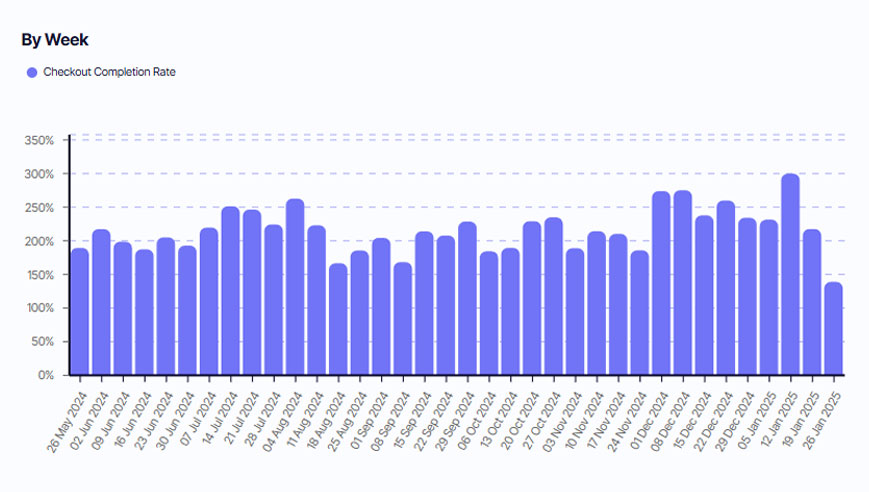
Checkout Completion Rate (CCR) measures the percentage of customers who start the checkout process and successfully complete their purchase. Improving CCR directly impacts revenue by reducing cart abandonment at the critical final step.
Understanding CCR
Checkout Completion Rate is essential for understanding the efficiency of your checkout process. A high CCR indicates a smooth and straightforward checkout experience, while a low rate highlights issues that are putting customers off at the final step.
CCR focuses solely on the checkout process itself, not the entire customer journey from browsing to purchase. This distinguishes it from overall conversion rate metrics, which measure the full funnel from site visit to purchase. CCR isolates the specific moment when customers have already decided to buy and evaluates how effectively your checkout process converts that intent into completed transactions.
How to Calculate CCR
CCR = (Number of Completed Transactions / Number of Initiated Checkouts) × 100
Give it a go in our CCR calculator!
CCR Calculator
Calculation Example
Suppose your checkout process needs to maintain at least an 85% completion rate to meet your revenue targets. You're seeing 2,000 customers initiate checkout this week. Calculate the minimum number of completed transactions you need:
Minimum Completed Transactions = Target CCR × Checkouts Initiated
Minimum Completed Transactions = 0.85 × 2,000
Minimum Completed Transactions = 1,700 transactions
Aim to convert at least 1,700 of your 2,000 checkout initiations into completed purchases to maintain your target 85% CCR and meet revenue expectations.

What’s Considered a Healthy CCR?
A "healthy" Checkout Completion Rate varies by industry, device type, and customer segment, but most successful ecommerce sites target 75-85% or higher:
● Device type creates significant variation. Desktop checkout completion rates typically range from 75-85%, while mobile rates are often 10-20 percentage points lower (60-70%) due to form complexity, input friction, and distraction factors. If your mobile CCR is dramatically lower than desktop, the issue is likely user experience rather than customer intent.
● Industry and product type influence benchmarks. High-consideration purchases (furniture, electronics, luxury items) often show lower CCR (60-75%) as customers comparison shop even after starting checkout. Low-consideration, impulse purchases (fashion, consumables, digital products) typically achieve higher CCR (75-90%) as customers commit more readily once they've decided to buy.
● New vs. returning customers show different patterns. First-time buyers often have 10-15 percentage points lower CCR than returning customers due to unfamiliarity with your process, account creation friction, and trust hesitation. Returning customers with saved payment information frequently exceed 85-90% completion rates.
● Traffic source affects checkout intent quality. Email and branded search traffic typically shows the highest CCR (80-90%) as these customers have strong purchase intent. Social media and display ad traffic often shows lower rates (60-75%) as the customer journey is less mature and intent less concrete.
● Geographic and payment method availability impact rates. Regions where your preferred payment methods are uncommon or shipping is expensive typically show 15-25 percentage points lower CCR. Offering local payment methods and transparent shipping costs dramatically improves regional completion rates.
Tip: The most important benchmark is your own historical baseline segmented by device, customer type, and traffic source. A 5-10 percentage point improvement in CCR can represent hundreds of thousands in recovered revenue—even small optimizations at this stage deliver outsized impact since customers have already demonstrated purchase intent.
CCR FAQ
What's the main difference between CCR and overall conversion rate?
What's the biggest cause of low CCR?
Should I require account creation before checkout?
How can I improve mobile CCR specifically?
Does offering more payment options improve CCR?
How do I know which checkout step causes the most abandonment?
CCR Related Reading

All-in-one platform, for ecommerce and B2B.


